
How to Order Ink for Epson EcoTank Printer? (Full Guide)
January 16, 2026
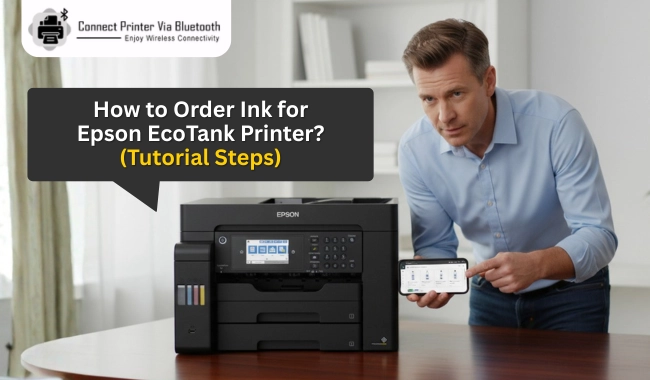

Ink bottles for Epson EcoTank printers are available on the official Epson website and several online stores. However, it can be hard for some users to find genuine and correct ink as per their specific printer model. Since many ink varieties are available for most printer brands, people often get confused about which bottle matches their printer model.
In this article, you’ll learn 'how to order ink for the Epson EcoTank printer'. If you’re concerned about buying the wrong ink model, fake or low-quality ink, or unclear about different prices on different platforms, this guide is for you.
Where to Buy Ink for an Epson EcoTank Printer?
The official Epson website is the most trusted and authentic place to buy ink for your Epson EcoTank printer.
If you search for Epson EcoTank printer ink in a web browser, you’ll find various ink options on stores like Amazon, Target, Office Depot, Best Buy, and Walmart. However, all of these are third-party options. If you’re new to printers, it can be difficult to identify the correct ink for your EcoTank model. That’s why purchasing from the official Epson store is the best choice.
How to Order Ink for an Epson EcoTank Printer?
Follow these steps to purchase ink for your EcoTank printer from the official Epson store.
-
On a web browser, visit epson.com/InkFinder.
-
Here, you’ll see two ways to find the correct ink for your printer. Either choose your printer series and model or enter your printer model and 'click' Search.
-
On the next page, you’ll find a list of ink cartridges for your exact EcoTank printer model. Select quantity and click Add to Cart next to the specific colors or combo packs you need.
-
After adding the correct inks to your cart, just below the main menu at the top, you’ll see the Checkout button. Click on it.
-
Now, you can pay through Epson by clicking the Checkout button or by using the PayPal logo under Order Summary for your cart items.
-
Then, follow the checkout procedure as you normally do for any other online purchase. Just make sure you fill in all the shipping details correctly so that Epson can complete the ink delivery on time.
During checkout, Epson will also ask you to choose a Shipping method among Ground Shipping (2–7 business days), 2-Day Shipping, and Overnight Shipping. Shipping time and delivery fees will be written next to them. So, choose as per your needs and budget.
How to Setup New Ink Bottles in an Epson EcoTank Printer?
Note: Do not tilt or shake the ink bottle before filling it in the printer, as it may leak.
-
Turn on your Epson EcoTank printer.
-
Select Maintenance by using the arrow buttons and select OK.
-
Then, select Fill Ink and press OK.
-
Open the Ink Tank cover and then open the cap of the ink tank you’re going to fill. Make sure the ink cartridge color matches the ink tank color you fill.

-
Turn the cap of the ink bottle to remove it and insert it into the ink filling port. Don’t force the ink into the ink tank by squeezing the bottle. Just wait and let it fill on its own.

-
When the ink is filled to the upper line, it’ll stop automatically. Then, you can remove it and securely close its cap.
-
Repeat the same steps for each ink tank you need to fill. Once done, close the ink tank cover firmly.
-
Turn on the printer and follow the 'on-screen instructions' to update the ink levels.
Still Facing Issues While Installing Ink?
If you’re still unable to 'install the ink cartridge' in your Epson EcoTank printer, contact a printer expert for assistance. Visit connectprinterviabluetooth.com/contact-us and tell us about your issue to get instant printer assistance.
Frequently Asked Questions
Question
How to find the correct ink bottle for my Epson EcoTank printer model?
Go to the ink finder page of the Epson official website - epson.com/InkFinder
Enter your exact printer model, and on the next page, you’ll find the correct ink bottles for your printer.
Question
How to troubleshoot problems during Epson EcoTank ink installation?
Turn off the printer and restart it.
Check that the ink bottle and tank colors match.
Open the ink tank caps fully.
Allow ink to fill naturally
Update ink levels on the printer screen
Check for error messages
Contact support if the issue continues.
Question
How do I check the ink level on my Epson EcoTank printer?
Your Epson EcoTank printer has horizontal lines in front of each ink tank. You can visually check the ink level by checking how far above the lower line the ink level is. If it’s above the lower line, the printer has enough ink to print properly.
Question
How to reset ink levels after refilling an Epson EcoTank printer?
Turn on the Epson printer.
Use arrows to select Maintenance and press 'OK'.
Select Reset Ink Level and select OK.
If prompted, confirm by clicking Yes.

 +1-877-469-0297
 +44-800-054-8150
Enter your Comments Here: